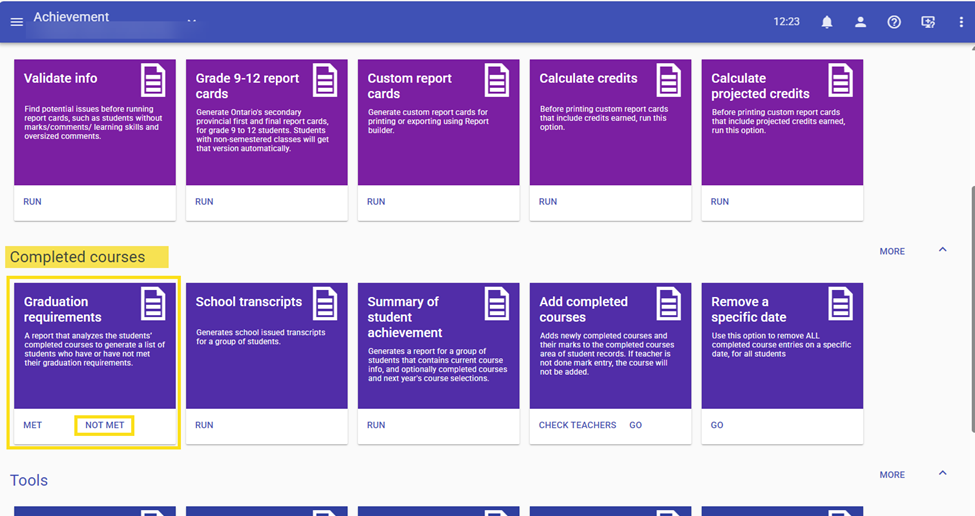
There are two ways to correct this issue for your students one would be to go on the student record - Achievement - Graduation requirements - and click on PROJECTED this will do that one student, if there are many of Students the best way to do this task is to go to Achievement - completed courses - Graduation requirements - NOT MET and run it for the entire school.
This should be a regular task that schools complete as often as they wish to make sure that everything is aligned correctly for your students in the Achievement area.
Was this article helpful?
That’s Great!
Thank you for your feedback
Sorry! We couldn't be helpful
Thank you for your feedback
Feedback sent
We appreciate your effort and will try to fix the article